Everything that matters about your child, in a place anyone can understand

Larova is an app you set up on your child's phone. You fill it with the things you would otherwise have to explain — how bedtime works, what your child eats, who to call, what helps when they are upset.

Free to install. Android only — iOS is planned but not scheduled.

Hand someone the phone, without a word of explanation

Caregiver view is what the app normally shows: read, tick things off, make a call, open a link. Nothing can be changed, moved or deleted by accident.

Parent view unlocks with a PIN or your fingerprint, and only there do the edit handles and the backup options appear. After five minutes without input, the app returns to caregiver view by itself.

A bar on every screen that says Get help

Behind it are the numbers you chose, shown large, with a photo and a relation — “Mum”, “Dad”, the doctor, the local emergency number.

Tapping one opens the phone app with the number ready. It never dials on its own, and it never sends anyone's location anywhere. The person holding the phone decides.

What it actually looks like

These are not mock-ups. They are rendered from the app's own code on every re-record, alongside the screenshot tests, so this page cannot show a version of Larova that no longer exists.

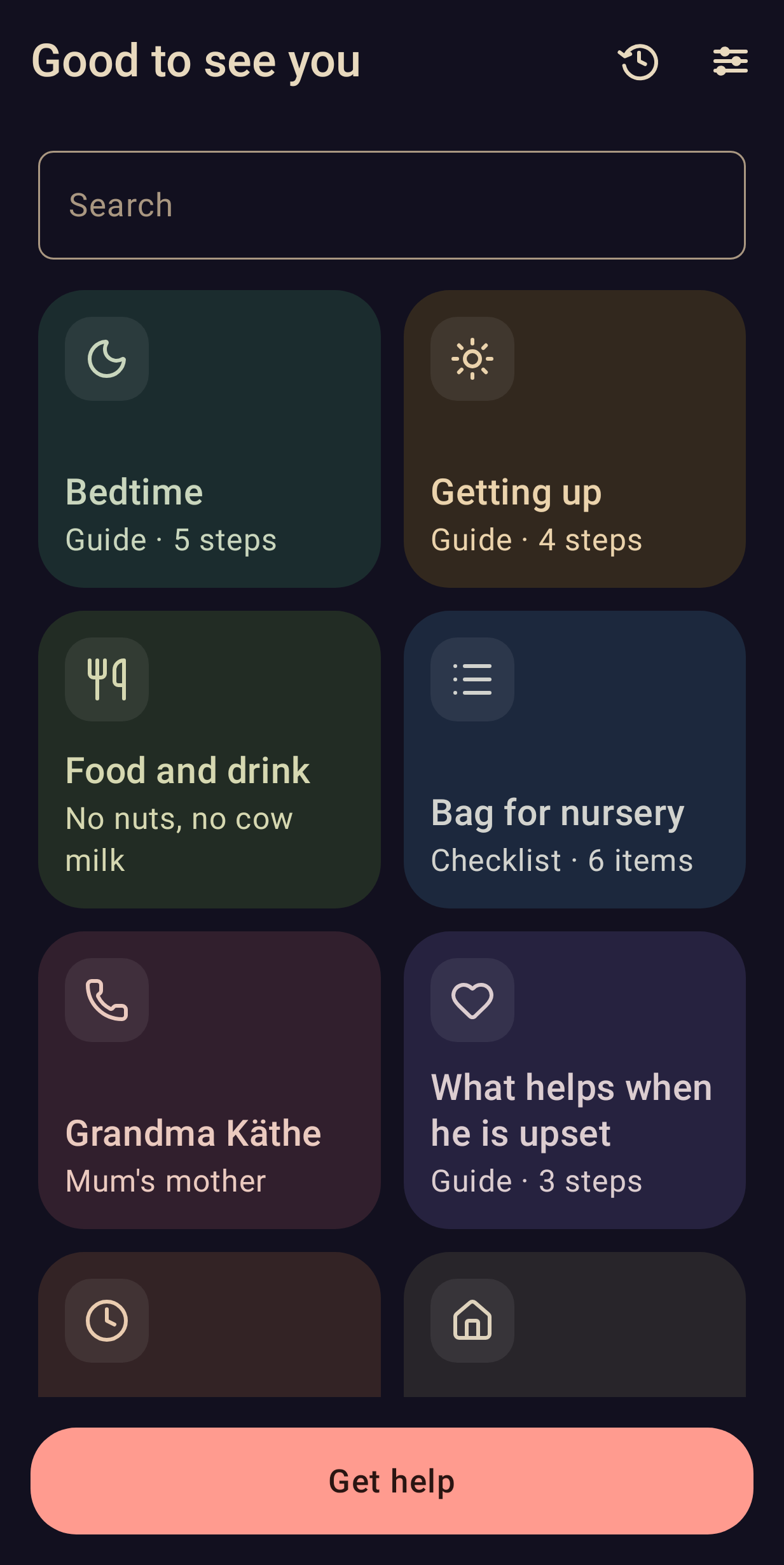
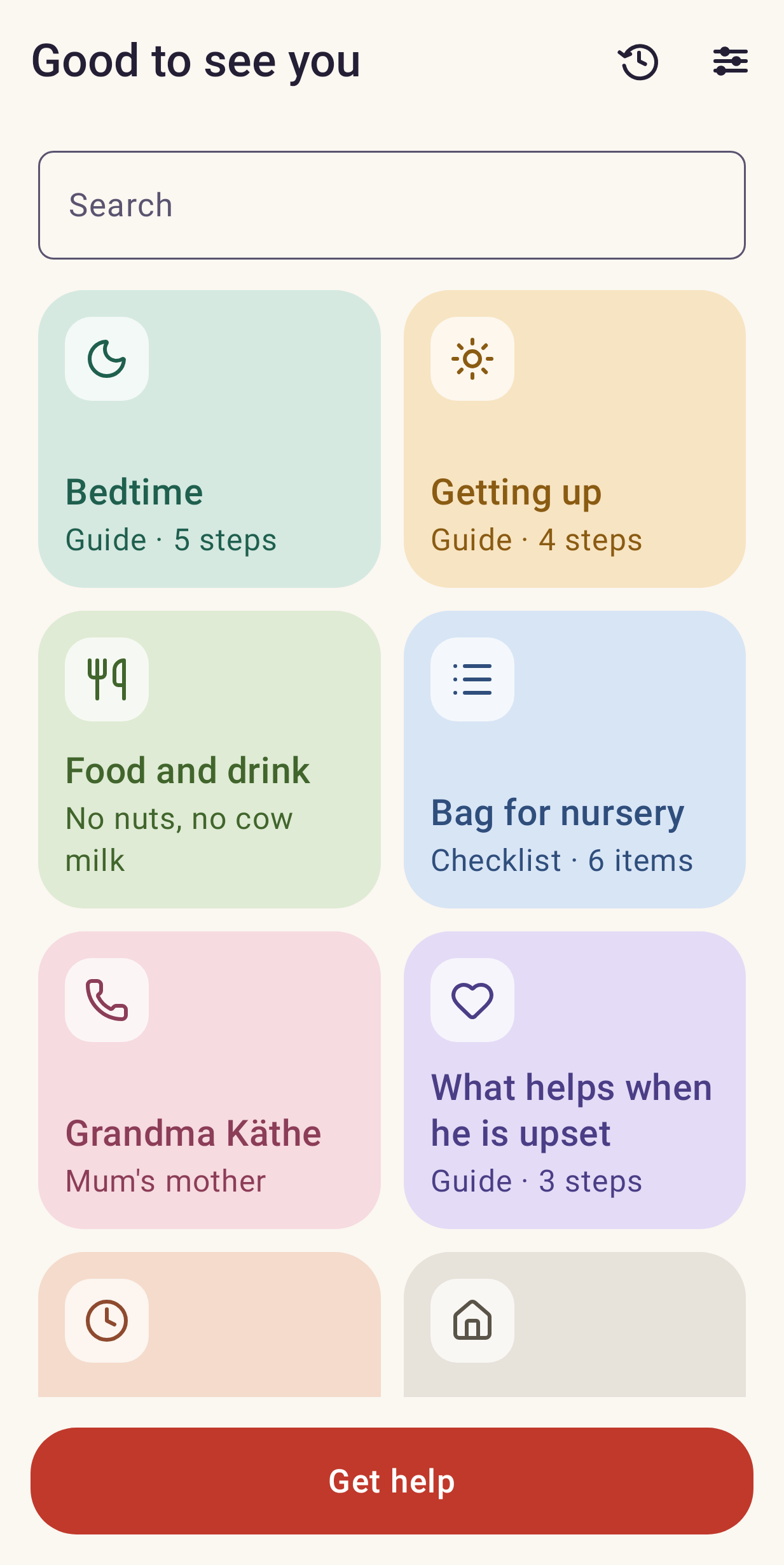
  • Larova's start screen: a grid of coloured tiles — Bedtime, Getting up, Food and drink, Bag for nursery — with a search field above and a red Get help bar along the bottom. The start screen. Everything on it was written by a parent.
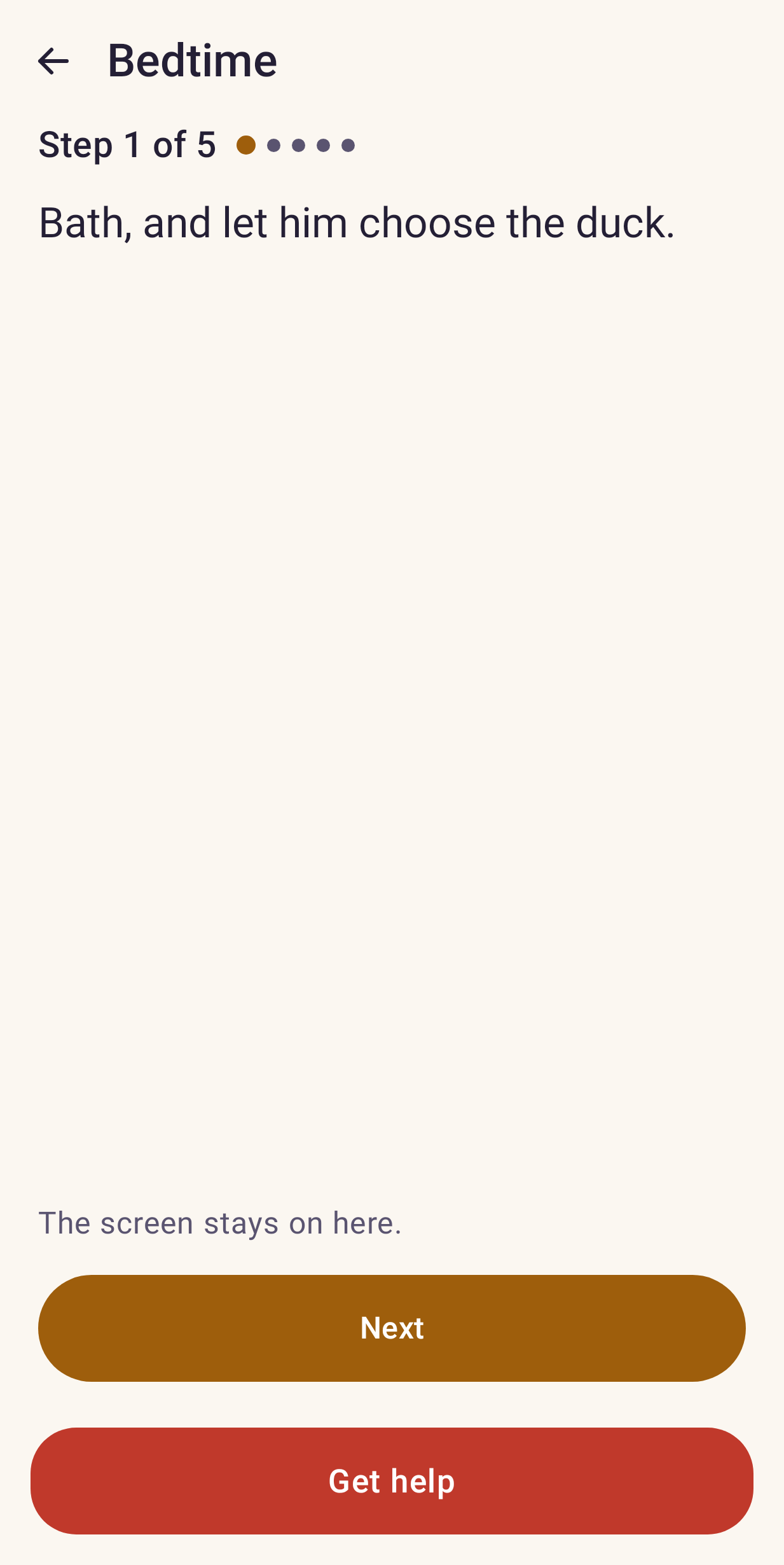
  • A guide tile open at step 1 of 5, showing one instruction in large text with a Next button. A guide, one step at a time, at reading size.
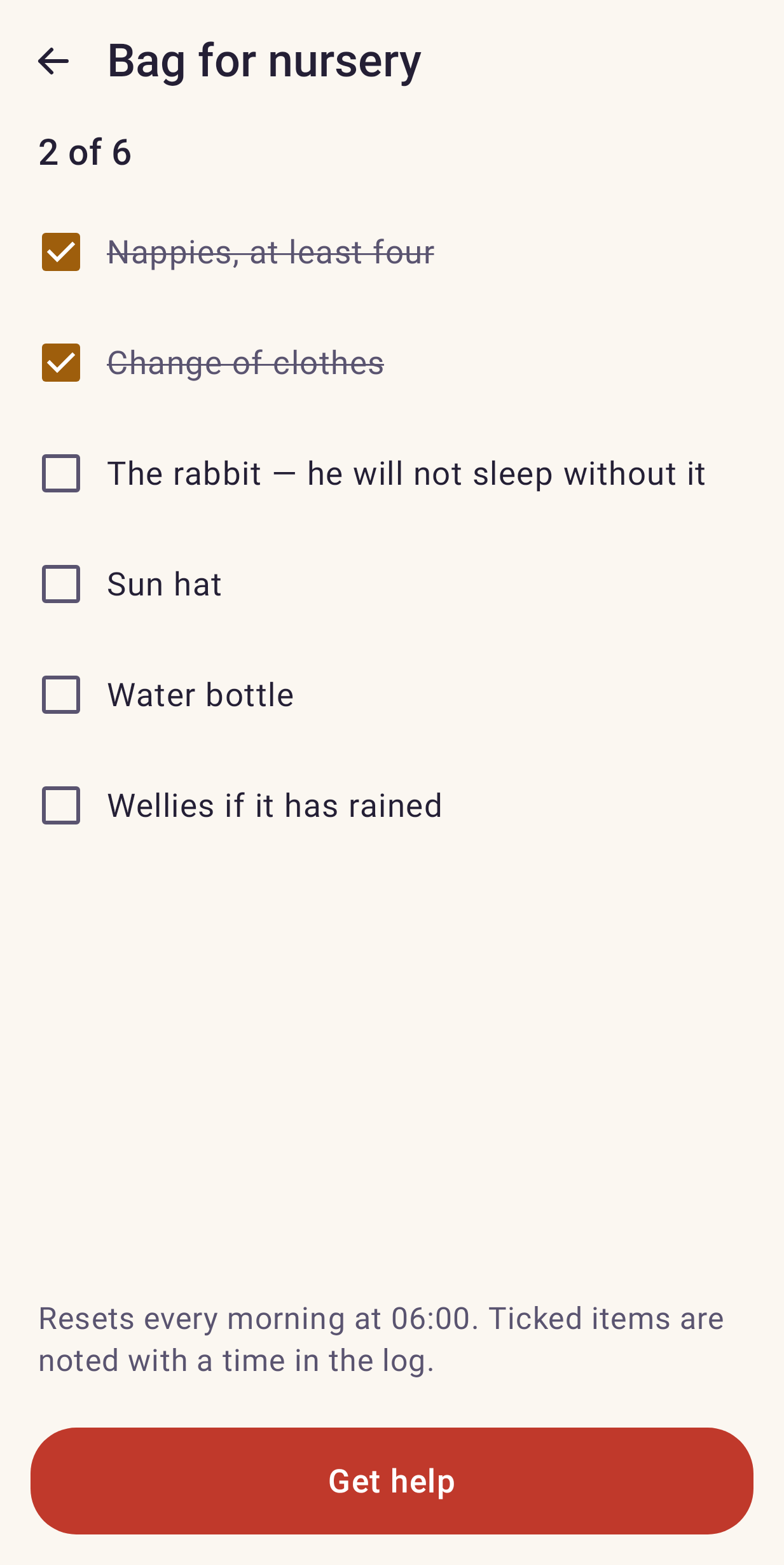
  • A checklist tile with six items, two already ticked off. A checklist. Ticking off needs no unlocking.
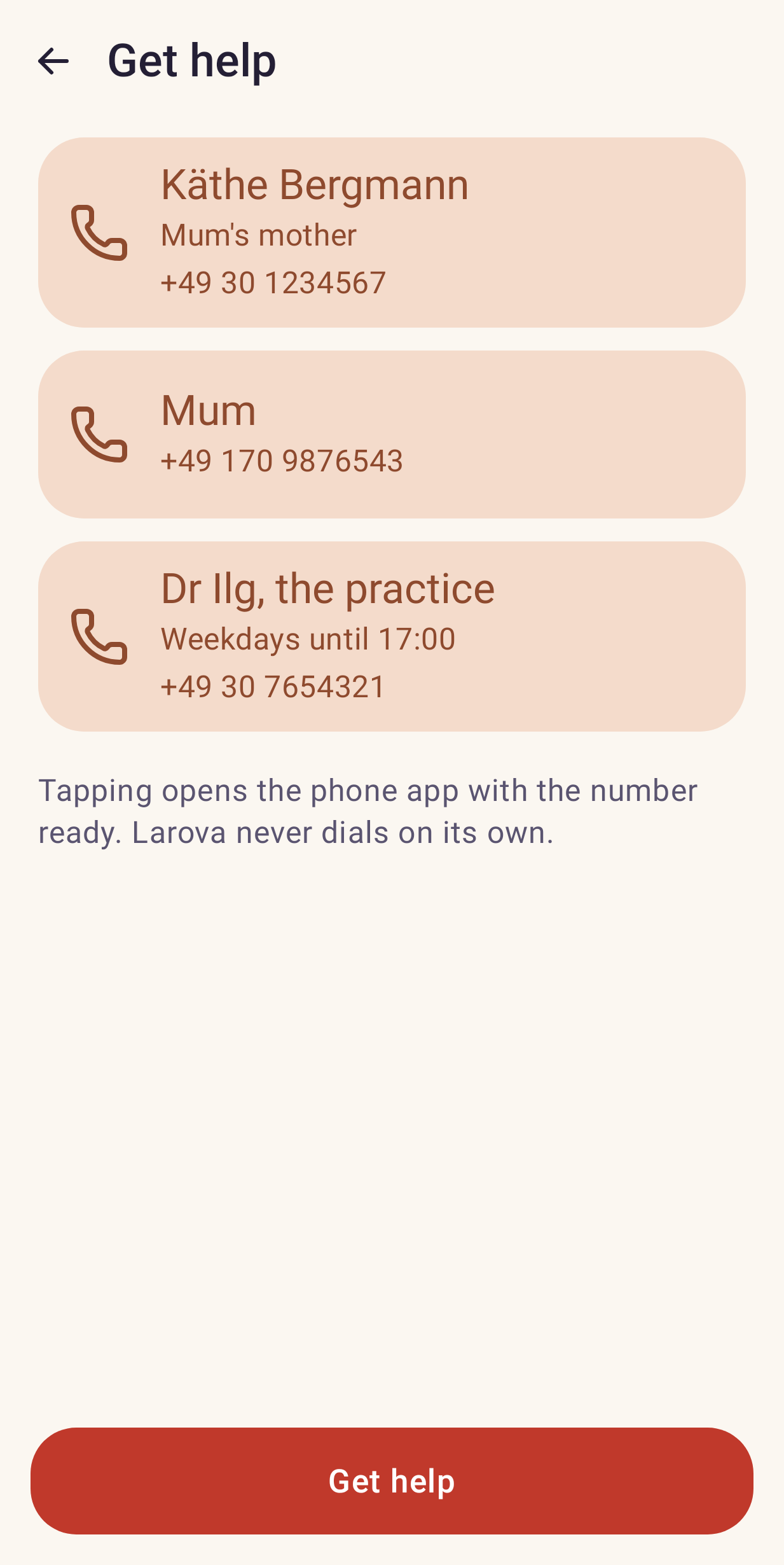
  • The help sheet: three large rows, each a name, a relation and a phone number. Behind “Get help”: the numbers you chose, and nothing else.
  • The same start screen in night mode: warm text on a near-black background. Night mode, for reading a bedtime guide aloud in the dark.

Ten kinds of tile, arranged by you

Everything inside a tile is written by you. Larova provides the shape; you provide the content.

  • GuideNumbered steps, one per screen, each with text and optionally a picture or a recording.
  • ChecklistThings to tick off, optionally resetting each morning.
  • NoteFree text with headings and lists.
  • TableColumns and rows you define yourself.
  • CallA name, a number and a relation. Tapping it opens the phone app with the number ready.
  • WebsiteA link that opens in the browser.
  • FolderGroups tiles together.

Three of them need the full version. App, Video and Sound are unlocked by a single payment through Google Play — one payment, no subscription, and everything else in Larova stays free.

The lock is on making those three, never on reading them. A tile of a paid kind always opens, including one that reached the phone in someone else's backup, so nothing you write is ever locked away from the person you handed the phone to.

Nothing leaves the device. There is nowhere for it to go.

Larova stores everything on the phone and nowhere else. No account, no analytics, and no internet permission at all — not a setting, an absent Android permission. Nothing you write is ever sent to us, because there is no “us” to send it to.

One menu item packs every tile, picture and recording into a single file. You choose where it goes: the phone itself, a cloud drive, a USB stick. That same file is the handover package — send it to your partner or the other grandparents, they open it in their own copy, and everything is there. You can protect it with a password.

A night mode that exists for one specific reason

Reading a bedtime guide aloud in a darkened room from a white screen does not work. Night uses warm amber on near-black, dims the display and avoids bright surfaces entirely, so nobody wakes up.

Fourteen languages, set independently of the phone

A grandmother who does not read German can put Larova into Turkish while her grandchild's phone stays in German. The app is translated; what you write is not — your words stay exactly as you wrote them, and are never sent anywhere to be translated.
Larova is a notebook. It does not diagnose anything, does not calculate doses, does not interpret what you write, and does not give advice. If you use it to note down what a caregiver should know about your child's health, that note is your text — the same as the one you would tape to the fridge. Larova just carries it and shows it to the right person at the right moment.

It is not a medical device, and it is not an emergency service. In an emergency, call your local emergency number.

Free software, and built in the open